To open any link in a new tab, preserving your position in the current article, just hold down the <CTRL> key on your keyboard before clicking the link or click using your mouse wheel.
PlanSwift Ribbon-bar Tab and Right-click Menu in Excel
- Former user (Deleted)
- Daniel Wal
- Former user (Deleted)
- Former user (Deleted)
Ribbon-bar Tab and Right-click Menu
A PlanSwift Ribbon-bar Tab and a Right-click Menu have been integrated into Excel. The functions on the PlanSwift Ribbon-bar comprise Connection, Takeoff, Digitizer, Utilities, and Export groups. The Right-click Menu is similar but does not have a New Section Digitizer option (which performs the same function as the Continue With the option on the PlanSwift Ribbon-bar); it also does not have the Export to PlanSwift option, which allows Excel templates to be exported into PlanSwift for easier takeoffs.
Figure 1 shows the PlanSwift Ribbon-bar Tab. The PlanSwift Ribbon-bar Tab options that are available (not grayed), vary depending on whether there is a connection between PlanSwift and Excel and whether the Excel file is a template (.xltx) or a regular workbook file (.xlsx).
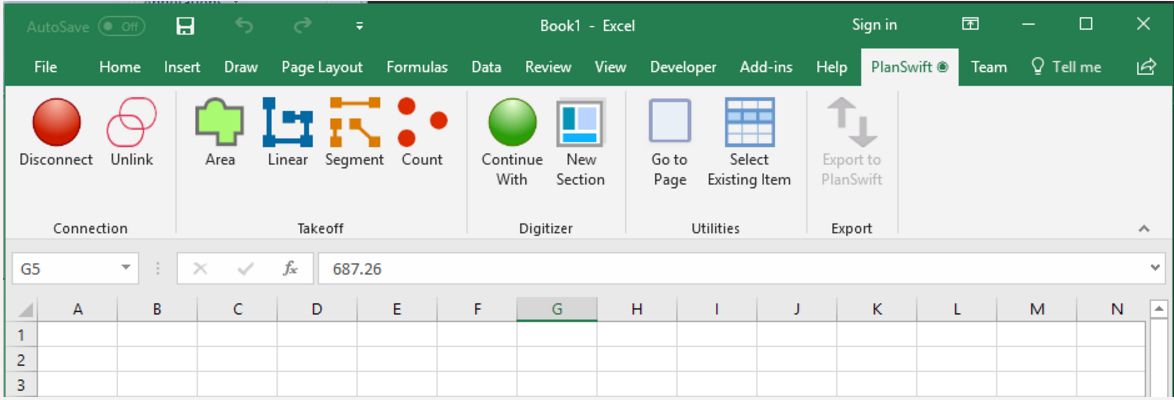
Figure 1
Figure 2 shows the Right-click Menu. Just like the PlanSwift Ribbon-bar Tab, the Right-click Menu options that are available also vary depending on whether there is an established connection between PlanSwift job and the associated Excel WorkBook. The Continue-With option on the Right-click Menu doesn't appear unless a cell with a linked value is being right-clicked on.
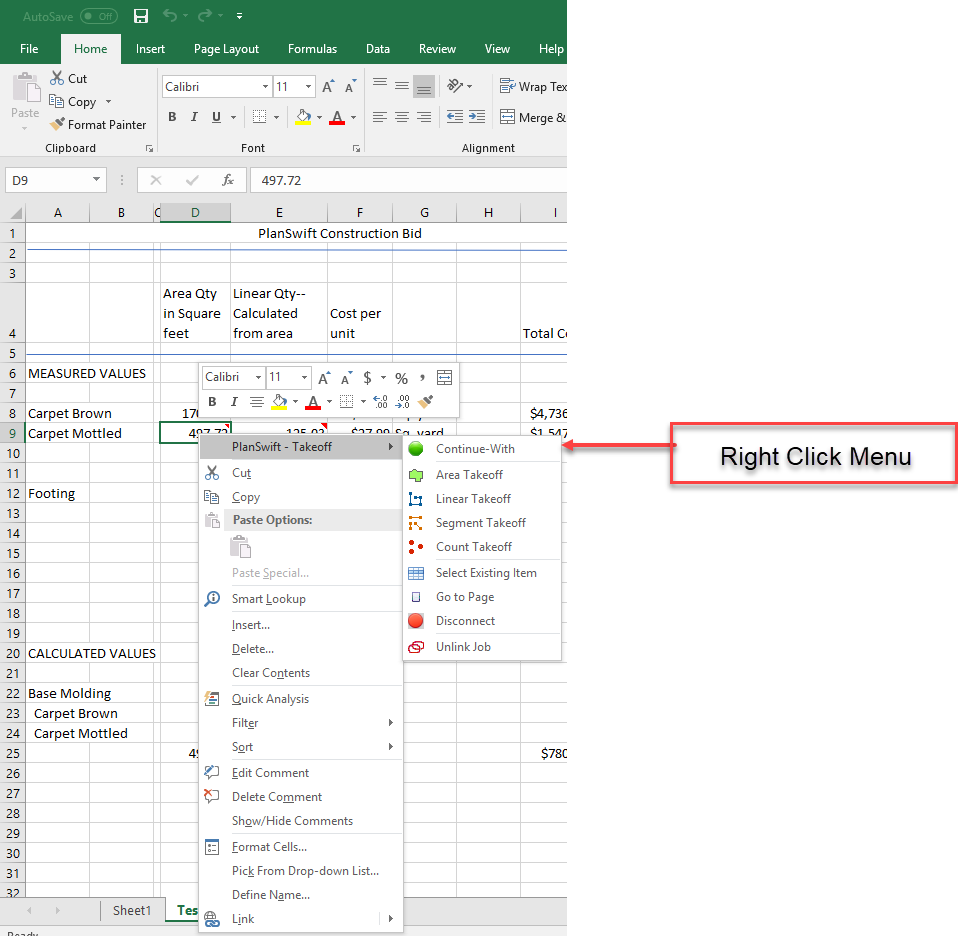
Figure 2
Figure 3 shows the non-linked version of the Right-click Menu. Notice that only the Connect option is functional when there is no connection to a PlanSwift job.
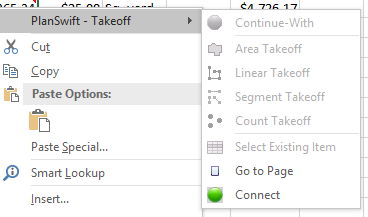
Figure 3
Click here for a description of the Connection group ( Connection, Disconnect and Unlink) options.
Click here for a description of the Takeoff group Takeoff options.
Click here for a description of the Digitizer group Digitizer options.
Click here for a description of the Utilities group Utilities options.
Click here for a description of the Export group (template) Export option.
Related content
Copyright 2023 ConstructConnect